Speed Kills: How Hyper-Optimized Workflows Are Quietly Strangling Your Output
The Illusion of Moving Fast
There's a moment every ops leader knows well. You've just rolled out a slick new automation — invoices processed in seconds, leads routed instantly, tickets triaged before a human even blinks. The demo looked great. The numbers look great. You pat yourself on the back.
Then, three months later, someone asks why order fulfillment is actually slower than it was before the upgrade.
Welcome to the automation paradox. You made one part of your business faster, and somehow the whole thing got worse.
This isn't a fluke. It's a pattern — and it's playing out across thousands of US companies right now, from scrappy SaaS startups to mid-market manufacturers. The culprit isn't bad software or lazy teams. It's a fundamental misunderstanding of what optimization actually means at the system level.
When Task-Level Wins Become System-Level Losses
Think about a mid-sized e-commerce company that automated its inventory replenishment process. Before the automation, a buyer would manually review stock levels every morning, cross-reference supplier lead times, and place orders with a human judgment call baked in. Slow? Sure. But contextual.
After automation, replenishment orders fired off the moment SKUs hit a threshold. Lightning fast. Except nobody wired that automation to the demand forecasting tool, which was flagging an upcoming promotional event that would spike demand 4x. The warehouse got flooded with the wrong products. Fulfillment slowed to a crawl. Customer service got buried.
The automation itself worked perfectly. The system around it didn't.
This is the core tension: most automation projects are scoped at the task level, but the consequences live at the workflow level. You optimized Task A without modeling what happens when Task A now feeds Task B at five times the volume, twice as fast, with half the contextual metadata it used to carry.
The Handoff Is Where It All Falls Apart
If you want to find where your automation is backfiring, stop looking at the tasks themselves. Look at the handoffs.
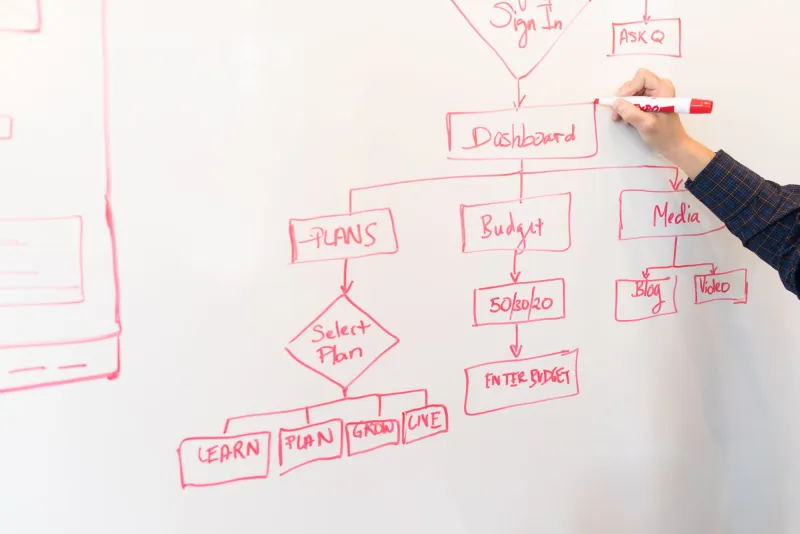
Handoffs are the connective tissue between systems — the moment data moves from your CRM to your billing platform, from your project management tool to your fulfillment software, from your automated email sequence to your sales team's queue. They're unglamorous. They're rarely the subject of a product roadmap meeting. And they're almost always where the friction accumulates.
Here's why: when you automate a task, you typically increase its throughput. More output, faster. But if the next system in the chain wasn't designed to absorb that throughput — or if the data format doesn't quite match, or if a human was previously adding a judgment layer that's now been removed — you've essentially created a high-pressure pipe feeding into a garden hose.
The water backs up. Work piles up. People start building workarounds. And because the automated task still looks fast, nobody immediately connects the downstream congestion to the upstream optimization.
Three Signs Your Automation Is Backfiring
You don't need a full-scale operational audit to spot the warning signs. Here are three patterns worth watching:
1. Downstream teams are building manual buffers. If the team receiving automated outputs has quietly started keeping spreadsheets, Slack channels, or shared inboxes to "catch" things before they process them, that's a red flag. They're compensating for a handoff that's moving faster than they can handle — or delivering data in a form they can't trust.
2. Error rates went up when speed went up. This one's counterintuitive. You'd expect automation to reduce errors. But if errors are actually climbing post-automation, it often means the human review step that was removed was doing more work than anyone realized — catching edge cases, flagging anomalies, adding context that the automated system doesn't know to include.
3. Your SLA times look fine, but customer complaints are rising. Internal metrics can look clean while the customer experience deteriorates. If your automated process technically completes in record time but the output quality has dropped, you've optimized the wrong variable entirely.
A Framework for Auditing Your Automation Stack
Before you automate anything else, run what we'd call a downstream impact review. It's not complicated, but most teams skip it entirely.
Map the full workflow, not just the task. For every process you're considering automating, document what happens to the output. Who receives it? What do they do with it? What decisions does it enable or block? What volume can the next step handle comfortably?
Identify the judgment that's currently happening. Human steps in a workflow aren't always inefficiencies. Sometimes they're quality filters. Before you remove them, explicitly name what they're doing — and either replicate that logic in your automation or build a different safety mechanism.
Set throughput-matched thresholds. If your automation is going to increase output volume, the downstream system needs to be scaled to match. This sounds obvious, but it's routinely ignored because the downstream system is often managed by a different team, a different vendor, or a different budget line.
Audit handoffs quarterly. Workflows aren't static. A handoff that worked fine in Q1 may be a chokepoint by Q3 as volume grows. Build a regular review into your ops calendar — not just for the automated steps, but specifically for the transitions between them.
The Smarter Way to Think About Optimization
The companies that are actually winning with automation aren't necessarily the ones moving fastest at the task level. They're the ones who've learned to think about their operations as a system — where the goal isn't to make any single step as fast as possible, but to make the whole flow as smooth as possible.
That sometimes means deliberately throttling an automation to match the capacity of what comes next. It sometimes means investing in better data normalization at the handoff point before worrying about speed at all. It occasionally means slowing down to actually understand what a human step was contributing before you eliminate it.
Smart software — the kind that actually moves the needle — is designed with this systems thinking built in. It doesn't just optimize in isolation. It accounts for what's upstream and downstream, and it gives you visibility into where the friction is accumulating, not just where the individual tasks are completing.
Stop Celebrating Local Maxima
There's a reason the automation paradox is so persistent: we're wired to celebrate speed, and speed is easy to measure at the task level. A dashboard that says "invoice processing time reduced by 80%" feels like a win. Nobody's building a dashboard that says "handoff friction increased by 340%."
But that's exactly the metric that matters. If your fastest workflows are creating your biggest bottlenecks, the problem isn't that you automated — it's that you stopped thinking at the edge of the task.
The fix isn't to slow down your ambitions. It's to widen your aperture. Zoom out from the task. Look at the whole chain. Find the handoffs. That's where the real leverage is hiding.